找到
9
篇与
84
相关的结果
- 第 2 页
-
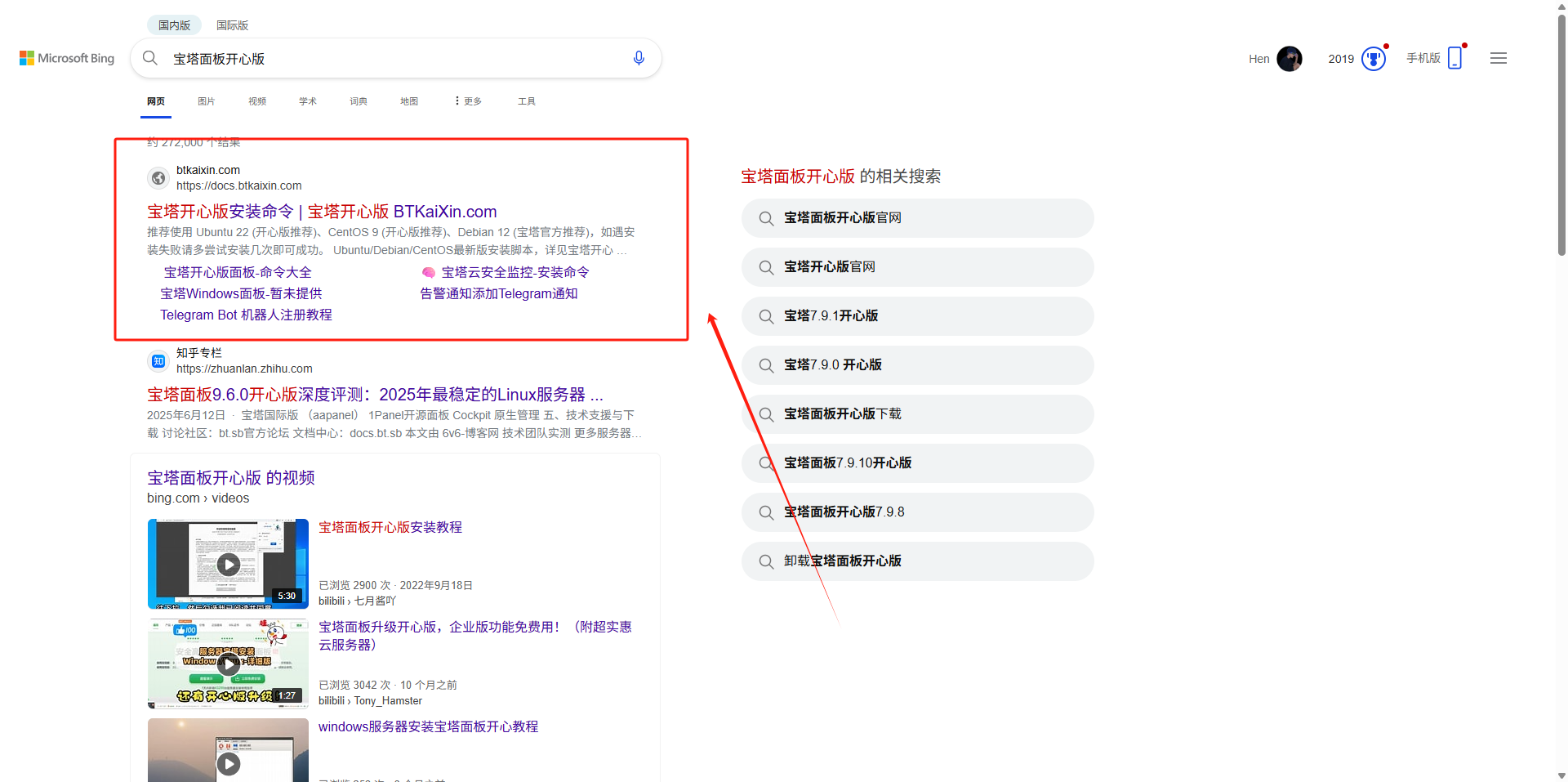
 5秒去除宝塔面板开心版广告 宝塔面板开心版下载资源请自行寻找。 以图片资源做演示 宝塔开心版演示图片 广告演示 广告演示图片 去广告教程 进入目录/www/server/panel/BTPanel 搜索bt.js 可能出现多个结果,选择js目录下的bt.js文件 搜索结果演示图片 打开bt.js 文件内容演示图片 修改其中的指定变量的值为true // 这些 let footerAdded = false; let leftAdded = false; let topAdded = false; // 改为 let footerAdded = true; let leftAdded = true; let topAdded = true;a64def 保存修改,然后Ctrl+F5强制刷新页面即可 修改结果演示 修改结果演示图片 说明 不同开心版版本,bt.js文件目录可能不一样 9.5.0版本完整路径/www/server/panel/BTPanel/static/js/bt.js 9.2.0版本完整路径/www/server/panel/BTPanel/static/vite/js/bt.js 其他版本类似 不同版本文件演示图片
-
邮箱验证码html模板 适配大屏和小屏 问题:fa图标在邮件中不显示,请自行替换成图片 演示图片 大屏演示图片 代码 <!DOCTYPE html> <html lang="zh-CN"> <head> <meta charset="UTF-8"> <meta name="viewport" content="width=device-width, initial-scale=1.0"> <title>用户注册 - Xcode验证码</title> <link rel="stylesheet" href="https://cdnjs.cloudflare.com/ajax/libs/font-awesome/6.4.0/css/all.min.css"> <style> /* 基础样式重置 */ * { margin: 0; padding: 0; box-sizing: border-box; font-family: 'Segoe UI', 'PingFang SC', 'Microsoft YaHei', sans-serif; } body { background: linear-gradient(135deg, #f5f7fa 0%, #e4edfb 100%); min-height: 100vh; display: flex; justify-content: center; align-items: center; padding: 30px; letter-spacing: 0.5px; } /* 亮色毛玻璃效果容器 */ .glass-container { background: rgba(255, 255, 255, 0.85); backdrop-filter: blur(12px); -webkit-backdrop-filter: blur(12px); border-radius: 24px; border: 1px solid rgba(255, 255, 255, 0.8); box-shadow: 0 12px 40px rgba(98, 131, 252, 0.15), 0 4px 20px rgba(98, 131, 252, 0.08); width: 100%; max-width: 780px; overflow: hidden; padding: 50px 40px; position: relative; transition: all 0.4s ease; } .glass-container:hover { box-shadow: 0 15px 50px rgba(98, 131, 252, 0.2), 0 6px 25px rgba(98, 131, 252, 0.12); transform: translateY(-5px); } /* 装饰元素 */ .decoration { position: absolute; border-radius: 50%; background: linear-gradient(135deg, rgba(67, 203, 255, 0.15) 0%, rgba(151, 8, 204, 0.1) 100%); z-index: -1; opacity: 0.7; } .decoration-1 { width: 180px; height: 180px; top: -60px; left: -60px; animation: float 8s infinite ease-in-out; } .decoration-2 { width: 120px; height: 120px; bottom: 30px; right: 30px; animation: float 10s infinite ease-in-out; animation-delay: 1s; } .decoration-3 { width: 90px; height: 90px; top: 30%; right: -30px; animation: float 12s infinite ease-in-out; animation-delay: 2s; } @keyframes float { 0%, 100% { transform: translate(0, 0); } 25% { transform: translate(-10px, 15px); } 50% { transform: translate(5px, -10px); } 75% { transform: translate(10px, 5px); } } /* 头部样式 */ .header { text-align: center; margin-bottom: 40px; position: relative; } .logo { display: flex; justify-content: center; align-items: center; margin-bottom: 25px; } .logo-icon { width: 65px; height: 65px; background: linear-gradient(135deg, #43CBFF 0%, #9708CC 100%); border-radius: 18px; display: flex; justify-content: center; align-items: center; margin-right: 18px; box-shadow: 0 8px 20px rgba(151, 8, 204, 0.25); transition: all 0.3s ease; } .logo-icon:hover { transform: rotate(10deg) scale(1.05); } .logo-icon img { margin: 20%; width: 60%; height: 60%; filter: drop-shadow(0 2px 4px rgba(0, 0, 0, 0.1)); } .logo-text { font-size: 32px; font-weight: 700; background: linear-gradient(135deg, #2c3e50 0%, #4a6491 100%); -webkit-background-clip: text; background-clip: text; color: transparent; letter-spacing: 1.2px; } .title { font-size: 28px; font-weight: 700; color: #2c3e50; margin-bottom: 30px; position: relative; display: inline-block; } .title::after { content: ""; position: absolute; bottom: -8px; left: 50%; transform: translateX(-50%); width: 60px; height: 4px; background: linear-gradient(135deg, #43CBFF 0%, #9708CC 100%); border-radius: 2px; } .subtitle { font-size: 18px; color: #5a6a85; line-height: 1.7; margin: 0 auto; /* max-width: 600px; */ padding: 0 20px; } /* 验证码区域 - 亮色系突出 */ .verification-section { background: rgba(255, 255, 255, 0.95); border-radius: 20px; padding: 40px 30px; margin: 40px 0; text-align: center; backdrop-filter: blur(5px); -webkit-backdrop-filter: blur(5px); border: 1px solid rgba(255, 255, 255, 0.9); box-shadow: 0 10px 30px rgba(98, 131, 252, 0.1), inset 0 0 15px rgba(151, 8, 204, 0.05); position: relative; overflow: hidden; transition: all 0.3s ease; } .verification-section::before { content: ""; position: absolute; top: 0; left: 0; right: 0; height: 5px; background: linear-gradient(135deg, #43CBFF 0%, #9708CC 100%); } .verification-section:hover { transform: translateY(-5px); box-shadow: 0 15px 40px rgba(98, 131, 252, 0.15), inset 0 0 20px rgba(151, 8, 204, 0.08); } .verification-label { font-size: 18px; color: #5a6a85; margin-bottom: 20px; font-weight: 500; } .verification-code { width: 100%; font-size: 56px; font-weight: 800; letter-spacing: 10px; background: linear-gradient(135deg, #2c3e50 0%, #4a6491 100%); -webkit-background-clip: text; background-clip: text; color: transparent; padding: 20px 40px; border-radius: 16px; margin: 20px 0; display: inline-block; box-shadow: inset 0 0 25px rgba(98, 131, 252, 0.1), 0 8px 20px rgba(98, 131, 252, 0.1); border: 1px solid rgba(98, 131, 252, 0.15); text-shadow: 0 2px 4px rgba(0, 0, 0, 0.05); transition: all 0.3s ease; } .verification-code:hover { letter-spacing: 12px; box-shadow: inset 0 0 30px rgba(98, 131, 252, 0.15), 0 10px 25px rgba(98, 131, 252, 0.15); } .expiration { font-size: 16px; color: #7a8ca5; margin-top: 20px; display: flex; align-items: center; justify-content: center; gap: 10px; } .expiration i { color: #ff6b6b; } /* 操作区域 */ .action-section { text-align: center; margin-top: 50px; } .action-button { background: linear-gradient(135deg, #43CBFF 0%, #9708CC 100%); color: white; border: none; padding: 18px 50px; font-size: 20px; font-weight: 600; border-radius: 60px; cursor: pointer; transition: all 0.3s ease; box-shadow: 0 8px 25px rgba(151, 8, 204, 0.3); text-decoration: none; display: inline-flex; align-items: center; gap: 12px; position: relative; overflow: hidden; } .action-button::before { content: ""; position: absolute; top: 0; left: -100%; width: 100%; height: 100%; background: linear-gradient(90deg, transparent, rgba(255, 255, 255, 0.3), transparent); transition: 0.5s; } .action-button:hover::before { left: 100%; } .action-button:hover { transform: translateY(-5px) scale(1.05); box-shadow: 0 12px 35px rgba(151, 8, 204, 0.4); } .action-button:active { transform: translateY(0) scale(0.98); } .copyright-link { color: #7a8ca5; text-decoration: none; transition: all 0.3s ease; } .copyright-link:hover { color: #9708CC; text-decoration: underline; } /* 底部信息 */ .footer { text-align: center; margin-top: 50px; color: #7a8ca5; font-size: 15px; line-height: 1.7; } .footer p { margin-bottom: 8px; } .social-icons { display: flex; justify-content: center; gap: 20px; margin-top: 25px; } .social-icons a { width: 45px; height: 45px; border-radius: 50%; background: rgba(98, 131, 252, 0.1); display: flex; align-items: center; justify-content: center; color: #5a6a85; font-size: 18px; transition: all 0.3s ease; } .social-icons a:hover { background: linear-gradient(135deg, #43CBFF 0%, #9708CC 100%); color: white; transform: translateY(-5px); } /* 响应式设计 */ @media (max-width: 768px) { .glass-container { padding: 40px 30px; max-width: 100%; } .logo-icon { width: 55px; height: 55px; } .logo-text { font-size: 28px; } .title { font-size: 24px; } .subtitle { font-size: 16px; } .verification-section { padding: 30px 20px; } .verification-code { font-size: 42px; padding: 15px 30px; letter-spacing: 8px; } .action-button { padding: 16px 40px; font-size: 18px; } } @media (max-width: 480px) { .glass-container { padding: 30px 20px; } .logo { flex-direction: column; gap: 15px; } .logo-icon { margin-right: 0; } .logo-text { font-size: 26px; } .title { font-size: 22px; } .verification-section { padding: 25px 15px; } .verification-code { font-size: 36px; padding: 12px 20px; letter-spacing: 6px; } .action-button { padding: 14px 35px; font-size: 16px; } } </style> </head> <body> <div class="glass-container"> <!-- 装饰元素 --> <div class="decoration decoration-1"></div> <div class="decoration decoration-2"></div> <div class="decoration decoration-3"></div> <div class="header"> <div class="logo"> <div class="logo-icon"> <img src="http://xma.dev.khkj.xyz/static/images/logo.png" alt="Xcode Logo"> </div> <div class="logo-text">Xcode - X码</div> </div> <h1 class="title">用户注册验证码</h1> <p class="subtitle">感谢您注册Xcode平台!请使用以下验证码完成账户验证,验证码将在 <text style="color:red;">6</text> 分钟后失效。</p> </div> <div class="verification-section"> <div class="verification-label">您的验证码</div> <div class="verification-code">843721</div> <div class="expiration"> <i class="fas fa-clock"></i>有效期至: 2025年6月27日 15:30 </div> </div> <div class="action-section"> <a href="https://xma.run" class="action-button"> <i class="fas fa-arrow-right"></i>前往 X码 平台 </a> </div> <div class="footer"> <p>此邮件由系统自动发送,请勿直接回复</p> <p>如果您未进行此操作,请忽略此邮件</p> <p>© 2025 <a href="https://xma.run" class="copyright-link">Xcode - X码</a> 版权所有</p> <div class="social-icons"> <a href="#"><i class="fab fa-weixin"></i></a> <a href="#"><i class="fab fa-qq"></i></a> <a href="#"><i class="fab fa-weibo"></i></a> <a href="#"><i class="fab fa-github"></i></a> </div> </div> </div> <script> // 添加简单的交互效果 document.addEventListener('DOMContentLoaded', function() { const verificationCode = document.querySelector('.verification-code'); // 添加点击复制功能 verificationCode.addEventListener('click', function() { const text = this.innerText; const tempInput = document.createElement('input'); tempInput.value = text; document.body.appendChild(tempInput); tempInput.select(); document.execCommand('copy'); document.body.removeChild(tempInput); alert("复制成功"); }); }); </script> </body> </html>
-
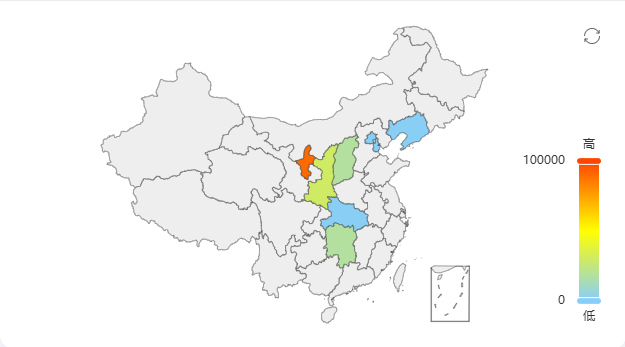
Echarts绘制中国地图并将南海诸岛化为简图 下载中国地图数据 下载地址:DataV.GeoAtlas地理小工具 绘制演示 绘制演示图片 绘制地图 显示南海诸岛简图 地图绘制时设置`china`有南海诸岛简图,设置`China`则没有简图 echarts.registerMap('china', usaJson);隐藏海南诸岛边界线 搜索100000_JD,删除图中的数据片段 隐藏南海诸岛边界线代码位置图片 隐藏南海诸岛 搜索海南,修改海南省的数据,将图中的数据修改为以下数据 南海诸岛数据修改位置图片 "coordinates": [ [ [ [ 110.106396, 20.026812 ], [ 110.042339, 19.991384 ], [ 109.997375, 19.980136 ], [ 109.965346, 19.993634 ], [ 109.898825, 19.994196 ], [ 109.855093, 19.984073 ], [ 109.814441, 19.993072 ], [ 109.76147, 19.981261 ], [ 109.712195, 20.017253 ], [ 109.657993, 20.01163 ], [ 109.585312, 19.98801 ], [ 109.526797, 19.943573 ], [ 109.498464, 19.873236 ], [ 109.411001, 19.895184 ], [ 109.349407, 19.898561 ], [ 109.300748, 19.917693 ], [ 109.25948, 19.898561 ], [ 109.255784, 19.867045 ], [ 109.231147, 19.863105 ], [ 109.159082, 19.79048 ], [ 109.169553, 19.736411 ], [ 109.147379, 19.704863 ], [ 109.093792, 19.68965 ], [ 109.048829, 19.619764 ], [ 108.993394, 19.587065 ], [ 108.92872, 19.524468 ], [ 108.855424, 19.469182 ], [ 108.806148, 19.450561 ], [ 108.765496, 19.400894 ], [ 108.694047, 19.387346 ], [ 108.644772, 19.349518 ], [ 108.609048, 19.276661 ], [ 108.591186, 19.141592 ], [ 108.598577, 19.055633 ], [ 108.630606, 19.003017 ], [ 108.637997, 18.924346 ], [ 108.595497, 18.872256 ], [ 108.593033, 18.809386 ], [ 108.65278, 18.740258 ], [ 108.663866, 18.67337 ], [ 108.641077, 18.565614 ], [ 108.644772, 18.486738 ], [ 108.68912, 18.447571 ], [ 108.776583, 18.441894 ], [ 108.881293, 18.416344 ], [ 108.905315, 18.389087 ], [ 108.944735, 18.314107 ], [ 109.006329, 18.323198 ], [ 109.108575, 18.323766 ], [ 109.138756, 18.268081 ], [ 109.17448, 18.260125 ], [ 109.287813, 18.264671 ], [ 109.355566, 18.215221 ], [ 109.441182, 18.199303 ], [ 109.467051, 18.173718 ], [ 109.527413, 18.169169 ], [ 109.584696, 18.143579 ], [ 109.661688, 18.175424 ], [ 109.726362, 18.177698 ], [ 109.749767, 18.193618 ], [ 109.785492, 18.339672 ], [ 109.919767, 18.375457 ], [ 110.022629, 18.360121 ], [ 110.070672, 18.376025 ], [ 110.090382, 18.399309 ], [ 110.116867, 18.506602 ], [ 110.214186, 18.578662 ], [ 110.246215, 18.609859 ], [ 110.329366, 18.642185 ], [ 110.367555, 18.631977 ], [ 110.499366, 18.651824 ], [ 110.499366, 18.751592 ], [ 110.578206, 18.784458 ], [ 110.590525, 18.838841 ], [ 110.585597, 18.88075 ], [ 110.619474, 19.152334 ], [ 110.676756, 19.286264 ], [ 110.706321, 19.320153 ], [ 110.729727, 19.378878 ], [ 110.787009, 19.399765 ], [ 110.844292, 19.449996 ], [ 110.888023, 19.518827 ], [ 110.920668, 19.552668 ], [ 111.008747, 19.60398 ], [ 111.061718, 19.612436 ], [ 111.071573, 19.628784 ], [ 111.043856, 19.763448 ], [ 111.013675, 19.850159 ], [ 110.966248, 20.018377 ], [ 110.940994, 20.028499 ], [ 110.871393, 20.01163 ], [ 110.808567, 20.035808 ], [ 110.778386, 20.068415 ], [ 110.744509, 20.074036 ], [ 110.717408, 20.148778 ], [ 110.687843, 20.163947 ], [ 110.655814, 20.134169 ], [ 110.562191, 20.110006 ], [ 110.526467, 20.07516 ], [ 110.495054, 20.077408 ], [ 110.387265, 20.113378 ], [ 110.318279, 20.108882 ], [ 110.28933, 20.056047 ], [ 110.243135, 20.077408 ], [ 110.144585, 20.074598 ], [ 110.106396, 20.026812 ] ] ]下载修改后的完整文件 下载完整文件 下载地址:https://www.khkj6.com/usr/uploads/2025/06/3432059456.json 提取码: 参考文档 vue echarts 中国地图处理南海诸岛为简图-CSDN
-
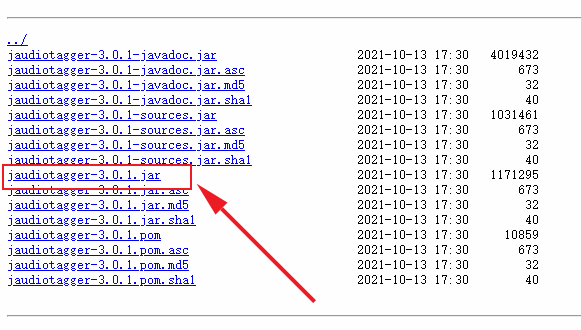
UTS引用原生jar包进行原生插件开发 也是踩了很多坑。主要的坑有两个,一个是引入jar包的问题,另一个就是jar包的使用问题(这个还得看包的文档 :@(吐血倒地) ) 下载jar包 我要用的是jaudiotagger包,引来实现对音乐标签信息的修改,包下载地址:https://central.sonatype.com/artifact/net.jthink/jaudiotagger/versions 我用的是最新的3.0.1版本,下载图中这个 lvkwkzpv.png图片 创建插件 下面是步骤: 创建插件参考官方教程步骤,这个很详细 地址: https://doc.dcloud.net.cn/uni-app-x/plugin/uts-plugin.html#%E5%88%9B%E5%BB%BAuts%E6%8F%92%E4%BB%B6 引入jar包 将你下载的jar包移动到libs目录下,如图 lvkwqa8k.png图片 导入包中的方法 java导入的方法 import org.jaudiotagger.audio.flac.FlacFile; import org.jaudiotagger.audio.generic.AudioFile; import org.jaudiotagger.audio.generic.AudioFileIO; import org.jaudiotagger.tag.FieldKey; import org.jaudiotagger.tag.Tag; import org.jaudiotagger.tag.images.Artwork;ts导入的方法 import FlacFile from "org.jaudiotagger.audio.flac.FlacFile"; import AudioFile from "org.jaudiotagger.audio.generic.AudioFile"; import AudioFileIO from "org.jaudiotagger.audio.generic.AudioFileIO"; import FieldKey from "org.jaudiotagger.tag.FieldKey"; import Tag from "org.jaudiotagger.tag.Tag"; import Artwork from "org.jaudiotagger.tag.images.Artwork";就这样导入就可以了,在Hbuilderx中,有代码提示,也可以不自己导入,写完代码,点击代码提示,又自动修复功能,当然,自动修复导入的不完全正确。 使用方法 测试的时候要打包自定义基座进行测试 使用的话,导入后就当ts方法写就行 有些报错是编译器bug不用管 // 引入java文件类 import File from "java.io.File"; import Files from "java.nio.file.Files"; // 引入jaudiotagger包 import AudioFile from "org.jaudiotagger.audio.AudioFile"; import AudioFileIO from "org.jaudiotagger.audio.AudioFileIO"; // import { Tag, FieldKey } from "org.jaudiotagger.tag"; import Tag from "org.jaudiotagger.tag.Tag"; import FieldKey from "org.jaudiotagger.tag.FieldKey"; // mp3封面相关 import StandardArtwork from "org.jaudiotagger.tag.images.StandardArtwork"; // falc封面相关 import FlacTag from "org.jaudiotagger.tag.flac.FlacTag"; import FileInputStream from "java.io.FileInputStream"; import PictureTypes from "org.jaudiotagger.tag.reference.PictureTypes"; /** * MusicInfo * 音乐信息类型 * */ type Tags = { audio: string; title: string; artist: string; album: string; cover: string; } export class KhMusicTag { /** * 私有变量 * tags { Tags } 标签信息 * action { boolean[] } 封面图片路径 * */ /** * writeMp3Tag * 写入mp3的封面图 * @param { string } cover 封面图路径 * * @returns { Boolean} 返回写入结果 */ public writeMp3Tag(info: Tags): boolean { try { // 读取音频文件 const audioFile = AudioFileIO.read(new File(info.audio)); const mp3Tag: Tag = audioFile.getTagOrCreateAndSetDefault(); // 设置歌曲名,歌手名,专辑名 mp3Tag.setField(FieldKey.TITLE, info.title); mp3Tag.setField(FieldKey.ARTIST, info.artist); mp3Tag.setField(FieldKey.ALBUM, info.album); // 创建封面图实例 const coverImage: File = new File(info.cover); // 创建Artwork对象 const artwork: StandardArtwork = new StandardArtwork(); artwork.setBinaryData(Files.readAllBytes(coverImage.toPath())); artwork.setMimeType("image/jpg"); // 根据实际封面图片类型设置 artwork.setPictureType(3); // 删除旧的封面图 mp3Tag.deleteArtworkField(); // 写入封面图 mp3Tag.setField(artwork); // 写回文件 audioFile.commit(); return true; } catch(e) { return false; } } /** * writeFlacCover * 写入flac的封面图 * @param { Tags } info 标签信息 * * @returns { Boolean} 返回写入结果 */ public writeFlacTag(info: Tags): boolean { try { // 读取flac文件,并强制申明为FlacTag类型 const audioFile = AudioFileIO.read(new File(info.audio)); const flacTag = audioFile.getTag() as FlacTag; // 设置歌曲名,歌flac手名,专辑名 flacTag.setField(FieldKey.TITLE, info.title); flacTag.setField(FieldKey.ARTIST, info.artist); flacTag.setField(FieldKey.ALBUM, info.album); // 读取封面图为字节流 const imageFile: FileInputStream = new FileInputStream(info.cover); const imagedata: ByteArray = new ByteArray(imageFile.available()); imageFile.read(imagedata); // 写入封面图 flacTag.setField(flacTag.createArtworkField(imagedata, PictureTypes.DEFAULT_ID, "image/jpg", "KHMD", 200, 200, 24, 0)); // 写回文件 audioFile.commit(); return true; } catch (e) { return false; } } }参考文献: 依据于开源的java库jaudiotagger 地址:https://bitbucket.org/ijabz/jaudiotagger/src/master/ 文档:http://jthink.net/jaudiotagger/index.jsp 成品jar包下载地址:https://central.sonatype.com/artifact/net.jthink/jaudiotagger/versions 说明:建议查看源码中的testsrc中的示例,个人觉得比文档中的示例详细和有用